
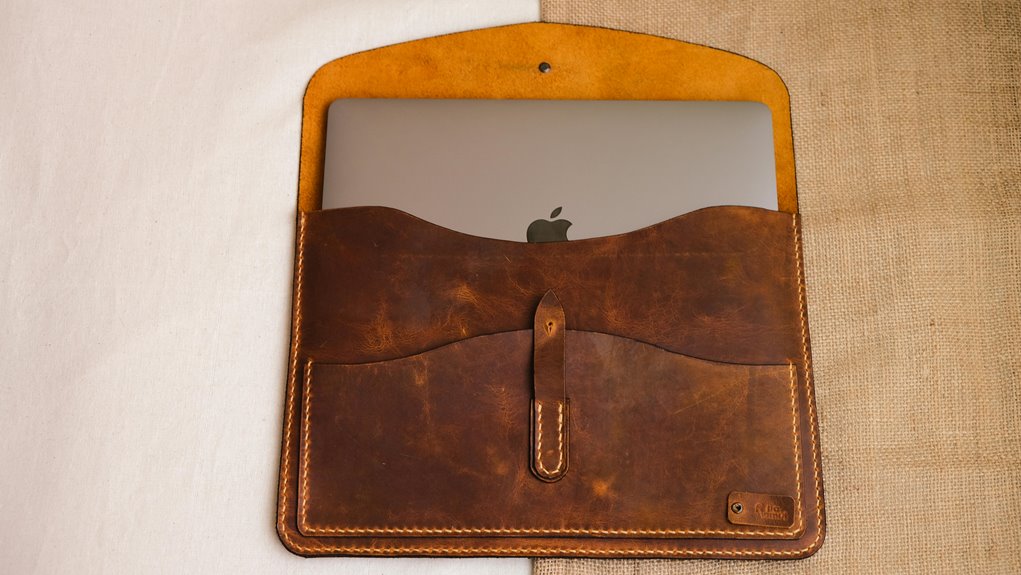
You can sew a padded fabric laptop sleeve in under an hour by choosing durable fabric like canvas or neoprene and measuring your laptop with added space for padding. Cut your outer fabric, soft lining, and batting, then layer and pin them together. Sew around edges, leaving an opening to turn the case right side out, then install a closure like Velcro or a zipper. With simple steps, your laptop will be stylishly protected and ready for daily use. Discover more tips to perfect your DIY project.
Key Takeaways
- Choose durable outer fabric like canvas and soft lining such as cotton for protection and comfort.
- Measure laptop dimensions precisely, adding half an inch for padding and seam allowances.
- Cut fabric layers carefully with seam allowances, ensuring smooth edges and correct sizing.
- Layer outer fabric, padding, and lining, then sew securely with reinforced seams and leave an opening for turning.
- Attach closure (Velcro, zipper, or snaps), turn case inside out, press edges, and reinforce stress points for durability.
Materials and Tools Needed
Before you begin crafting your DIY fabric laptop case, gather all the necessary materials and tools to guarantee a smooth process.
You’ll need fabric for the outer layer and a soft lining, plus some batting or foam for padding. Make certain you have matching thread and a strong sewing needle suitable for your fabric type.
A rotary cutter or fabric scissors will help you cut clean edges, and a ruler or measuring tape guarantees accuracy. Don’t forget pins or clips to hold pieces together while sewing.
A sewing machine speeds up the work, but you can sew by hand if needed. Finally, have a marking tool, like tailor’s chalk or a disappearing fabric pen, to outline your measurements.
Having these ready saves you time and frustration.
Choosing the Right Fabric
You’ll want to pick a fabric that balances durability with style to keep your laptop safe.
Think about materials like canvas or neoprene for strong protection and choose textures that match your personal taste.
This way, your case won’t only last but also look great every time you use it.
Fabric Types Overview
Choosing the right fabric sets the foundation for a durable and stylish DIY laptop case. You’ll find various options, each with unique qualities.
Canvas is a popular choice—it’s sturdy and easy to sew, giving your case a classic look.
Cotton fabric offers endless patterns and feels soft, but you might want to add a lining for extra structure.
If you prefer something sleek, polyester or nylon provides a smooth finish and resists wrinkles.
For a premium touch, consider denim or faux leather; both add character and style.
When selecting, think about your daily use and style preference. This overview helps you pick a fabric that fits your needs and matches your creativity before moving on to adding protective padding.
Durability and Protection
Although style is important, durability and protection are what truly keep your laptop safe inside the case. When choosing fabric, opt for tightly woven materials like canvas, denim, or twill—these resist wear and tear better than lighter fabrics.
Consider adding a water-resistant coating or selecting treated fabrics to shield against spills and moisture. Don’t forget about padding; combining your fabric with foam or batting enhances shock absorption.
Reinforced stitching along edges and stress points also improves longevity. Avoid thin, delicate fabrics that can easily rip or stretch out of shape.
Aesthetic and Texture Choices
Texture and color play a big role in how your fabric laptop case looks and feels. When choosing fabric, consider materials like cotton for a soft, lightweight feel or canvas for a sturdier, textured finish.
You might want a sleek, smooth polyester if you prefer a modern, minimalistic style. Think about color too—bold prints add personality, while neutral tones offer timeless elegance.
Don’t forget how the fabric’s texture interacts with padding; a slightly coarse fabric can enhance grip, preventing slips.
Also, consider how the fabric wears over time; natural fibers may fade beautifully, while synthetics tend to retain color longer.
Ultimately, pick a fabric that reflects your style and fits your daily use, ensuring your laptop case is both functional and visually appealing.
Measuring Your Laptop
Before you start cutting fabric, you’ll need to get your laptop’s exact measurements.
Grab a ruler or measuring tape to check the length, width, and thickness carefully.
Accurate dimensions are key to making a snug, protective case.
Accurate Laptop Dimensions
To create a perfect DIY fabric laptop case, you need to measure your laptop’s dimensions with precision. Start by measuring the width, height, and depth of your laptop at its widest points.
Include any protrusions like ports or hinges to guarantee a snug fit. Double-check each measurement to avoid mistakes that could make your case too tight or loose.
Remember to add a bit of extra space—about half an inch—to accommodate padding and fabric thickness. Accurate dimensions help you cut fabric and batting correctly, guaranteeing your case offers both protection and style.
Taking the time now to be precise saves you from frustrating adjustments later and assures your finished sleeve will hold your laptop securely and comfortably.
Measuring Tools Needed
Anyone planning to make a DIY fabric laptop case will need a few essential measuring tools to get accurate dimensions.
First, grab a flexible measuring tape—it’s perfect for wrapping around corners and capturing length, width, and height precisely. A ruler or a clear quilting ruler works well for straight edges and smaller measurements. You might also want a fabric marker or chalk to note measurements directly on your fabric or pattern paper.
If you don’t have a measuring tape, a sturdy piece of string can serve as a substitute; just mark and measure it against a ruler afterward.
Be certain your laptop is fully closed and place it on a flat surface before measuring. Accurate measurements guarantee your case fits snugly without being too tight or loose.
Cutting Fabric Pieces
When you start cutting fabric pieces, make certain your measurements are exact to guarantee a perfect fit for your laptop.
Lay your fabric flat on a clean, smooth surface and smooth out any wrinkles. Use a ruler or measuring tape to mark the dimensions clearly with a fabric pencil or chalk. Remember to add seam allowances—usually about half an inch—around all sides for stitching.
Cut slowly and steadily with sharp fabric scissors to avoid jagged edges or fraying. If your laptop has rounded corners, mark those on the fabric to cut precise curves.
Cutting accurately at this stage saves you from fitting issues later on, ensuring your laptop case fits snugly and looks professional when finished.
Take your time; precision pays off.
Selecting and Cutting Padding
Choosing the right padding is essential for protecting your laptop from bumps and scratches. You want something that cushions without adding bulk. Foam or quilt batting works well for this project.
When selecting padding, keep these points in mind:
- Thickness – Aim for about ¼ to ½ inch to balance protection and slimness.
- Material – Closed-cell foam offers firm shock absorption; polyester batting is softer but still protective.
- Size – Cut the padding slightly larger than your laptop dimensions, usually by ½ inch on all sides, to guarantee full coverage and seam allowance.
Use sharp fabric scissors or a rotary cutter for clean edges. Accurate cutting helps your sleeve fit snugly and keeps the padding evenly distributed inside.
This step sets the foundation for a secure, professional-looking laptop case.
Preparing the Fabric Layers
After cutting the padding to size, it’s time to prepare the fabric layers that will encase it.
First, lay out your outer fabric and lining fabric, each cut slightly larger than your laptop dimensions to allow for seams. Make certain both pieces are smooth and wrinkle-free.
Place the outer fabric right side down, then position the padding on top. Finally, layer the lining fabric right side up, aligning edges carefully.
Pin all three layers together, focusing on corners and edges to prevent shifting. This layered setup creates the structure for your laptop case.
Take your time with this step—it guarantees accuracy and neatness in the final product.
Once pinned, you’re ready to move on to sewing the outer fabric and padding.
Sewing the Outer Fabric and Padding
Start by setting your sewing machine to a straight stitch with a medium stitch length. This guarantees durable seams without puckering.
Next, align your outer fabric and padding layers with the right sides facing out. Pin them together securely to avoid shifting.
Follow these steps to sew efficiently:
- Sew around the edges, leaving a small opening for turning the sleeve right side out.
- Backstitch at the start and end of your seam to reinforce it.
- Trim excess seam allowance and clip corners to reduce bulk.
Once sewn, you’ll have a sturdy, padded outer shell ready for the next step.
Keep your stitches even and consistent for a professional finish. This foundation protects your laptop and keeps the case’s shape intact.
Adding a Lining to the Sleeve
You’ll want to pick a lining fabric that’s soft and durable to protect your laptop from scratches.
Once you’ve chosen the right material, you’ll attach the inner layers carefully to keep everything snug and secure.
This step adds extra cushioning and gives your sleeve a polished, finished look.
Choosing Fabric Linings
Selecting the right fabric lining can make a big difference in your laptop case’s durability and feel.
You want a lining that protects your laptop while complementing the outer fabric. Here are three key factors to evaluate:
- Material: Choose soft, smooth fabrics like cotton or microfiber to prevent scratches. Avoid rough or stiff materials that can damage your device.
- Thickness: A slightly thicker lining adds cushioning, improving shock absorption without making the sleeve bulky.
- Durability: Pick linings that resist wear and tear, such as ripstop nylon or tightly woven cotton, ensuring your case lasts through daily use.
Attaching Inner Layers
Once you’ve picked the perfect lining fabric, it’s time to attach it to your laptop case.
First, lay your outer fabric right side up, then place the padding on top, followed by the lining fabric right side down. Pin all layers together to keep them aligned.
Next, sew around the edges, leaving a small gap for turning the sleeve right side out. Trim any excess seam allowance and clip corners to reduce bulk.
Turn the case right side out through the gap, then push out corners neatly.
Finally, topstitch around the entire sleeve edge to close the gap and secure all layers firmly. This step adds durability and a clean finish, making your laptop case both protective and polished.
Installing the Closure
Although adding the closure may seem straightforward, it plays an essential role in securing your laptop inside the case. Choosing the right closure guarantees your laptop stays protected and snug.
Here’s how to install it effectively:
- Select Your Closure Type: Decide between Velcro, zipper, or snap buttons based on your preference for ease and security.
- Position the Closure: Mark where the closure will go on the flap and body of the case, guaranteeing alignment for a tight fit.
- Sew the Closure: Attach each side securely with a straight stitch, reinforcing stress points for durability.
Take your time with this step; a well-installed closure enhances both functionality and the professional look of your laptop case.
Assembling the Laptop Case
Begin assembling your laptop case by aligning the main fabric pieces carefully. Place the outer fabric and lining right sides together, ensuring the padding stays inside. Pin around the edges to secure the layers. Next, sew around the perimeter with a ½-inch seam allowance, leaving a small gap for turning the case right side out. Once sewn, clip the corners to reduce bulk, then turn the case right side out through the gap. Push out the corners neatly, then press the edges flat with an iron.
| Step | Action | Tip |
|---|---|---|
| Align | Outer fabric & lining | Padding inside |
| Sew | Perimeter, leave gap | ½-inch seam allowance |
| Turn & Press | Right side out & press | Clip corners before turning |
Finishing Touches and Reinforcements
After turning your laptop case right side out and pressing the edges, focus on adding finishing touches to enhance durability and style.
Start by reinforcing stress points—sew extra stitches at corners and along seams to prevent wear and tear.
Next, attach hardware like snaps or Velcro for secure closure; choose what suits your preference and laptop size.
Finally, consider adding a fabric lining or patch pocket inside for added protection or storage.
- Reinforce corners and seams with double stitching to boost strength.
- Install a closure mechanism such as Velcro, snaps, or a zipper to keep your laptop secure.
- Add an inner lining or pocket for extra padding and practical storage.
These steps guarantee your laptop case is both sturdy and functional.
Caring for Your DIY Laptop Case
Since your DIY fabric laptop case is a handmade item, taking proper care of it guarantees it stays durable and looks great over time. Always spot clean with a mild detergent and avoid harsh chemicals that could weaken the fabric or padding. When machine washing, use a gentle cycle inside a laundry bag to protect the stitching. Air dry your case flat to keep its shape intact.
| Care Tip | What to Do | What to Avoid |
|---|---|---|
| Cleaning | Spot clean or gentle wash | Bleach or strong detergents |
| Drying | Air dry flat | Dryer heat or direct sun |
| Storage | Keep in a dry, cool place | Damp or overly hot spots |
| Handling | Use with clean hands | Rough surfaces or sharp objects |
Frequently Asked Questions
Can This Case Fit Tablets or Other Devices Besides Laptops?
You can definitely use this case for tablets or other devices, as long as they fit the dimensions. Just measure your device, adjust the pattern if needed, and sew a snug, padded sleeve to protect it well.
How Do I Customize the Design or Add Pockets?
You can sprinkle a touch of personality by choosing fabrics and patterns you adore. To add pockets, simply sew extra fabric sections onto the inside or outside, giving you cozy nooks for chargers or accessories.
What if I Don’t Have a Sewing Machine?
If you don’t have a sewing machine, don’t worry! You can sew the case by hand using a needle and strong thread. Just take your time, use small stitches, and enjoy the process—it’s totally doable!
Is This Case Water-Resistant or Weatherproof?
Imagine you spill coffee on your fabric sleeve—it won’t fully protect your laptop. This case isn’t water-resistant or weatherproof unless you use special waterproof fabric or add a rainproof coating to keep your device dry.
Can I Use Recycled or Upcycled Fabrics?
You can definitely use recycled or upcycled fabrics! Just make sure they’re clean and sturdy enough to protect your laptop. Adding a water-resistant lining helps, too. It’s a great way to be eco-friendly and creative.